
修好我的小笨鼠标 让他滑轮灵敏度变正常
文章总结:我的鼠标滚轮坏了,然后把数据过滤一下就能用了
今天收拾宿舍,发现了我的小笨鼠标
已经两年了,没想到这么经用
用蓝牙连接上,发现依旧好用
唯一美中不足的是——
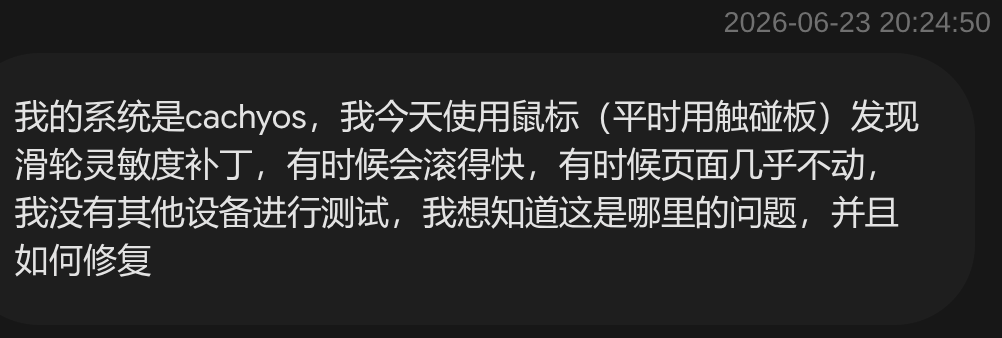
虽然不知道是硬件还是软件的锅,但是先看看电脑收到的数据是不是对的
先安装工具
1 | sudo pacman -S libinput libinput-tools |
然后监听数据(鼠标通过蓝牙传给电脑)
1 | sudo libinput debug-events | grep -i scroll |
得到这样一组数据流
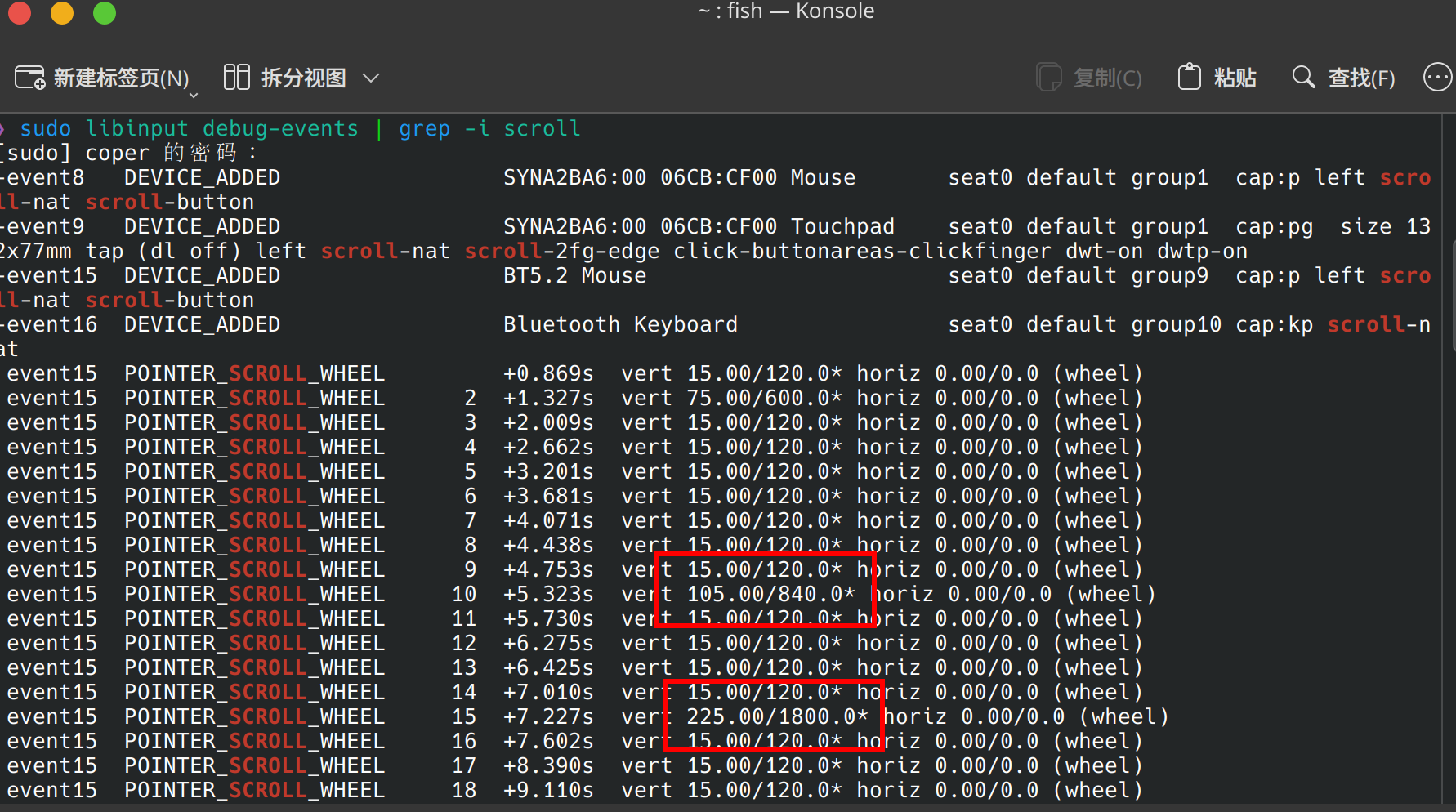
可以看出绝大多数都挺正常的,只不过有几个突变
感觉大概率是消息阻塞了,怎么办啊
欸,我把全部数据都变为 120(或者-120)不就好了嘛。下面是代码
1 | import evdev |
直接运行代码,测试一波
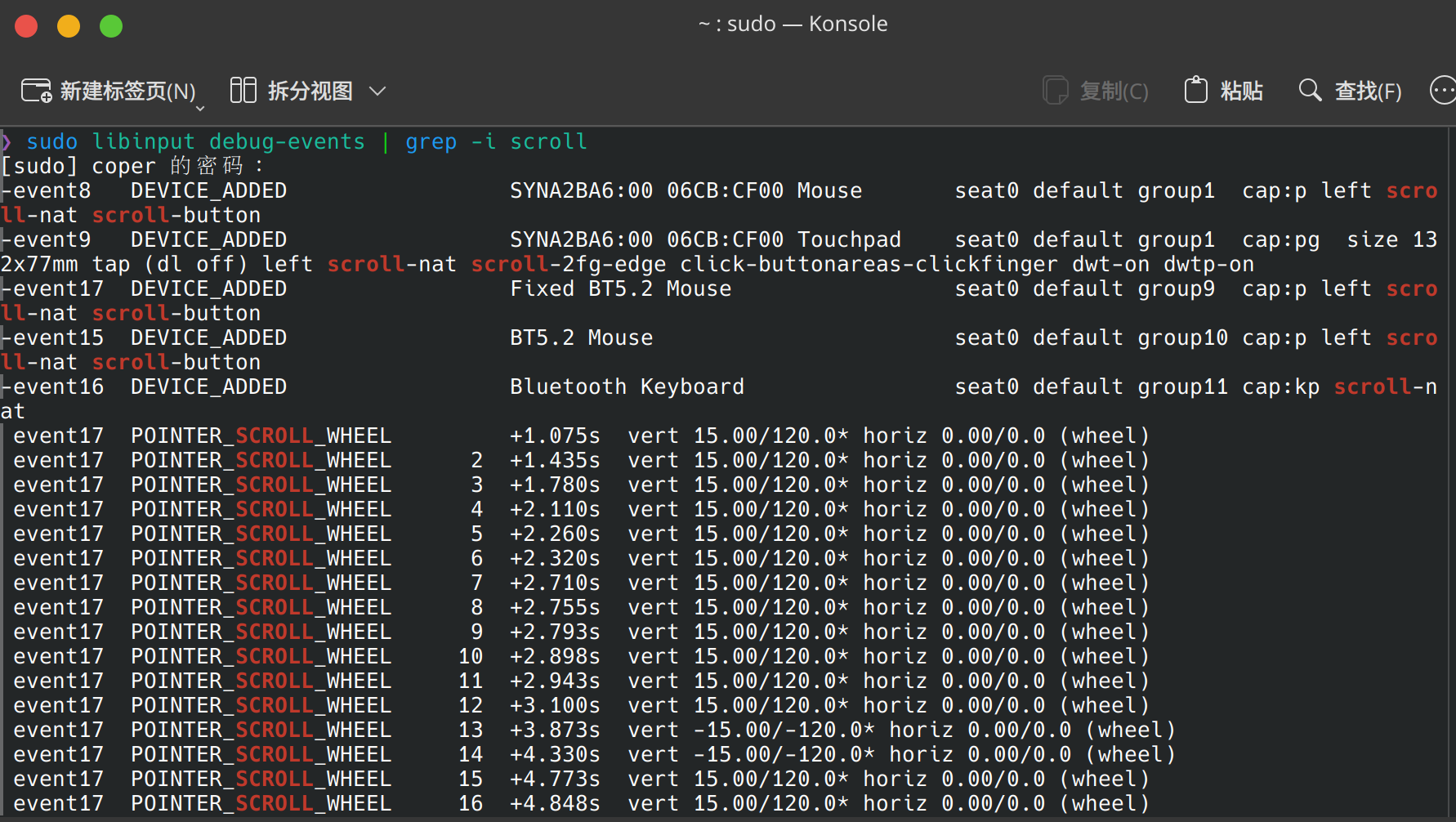
可以发现正常的不得了,反方向也能用
加进 SystemD 就可以了(类似于自启动)
先把脚本放进 /usr/local/bin/ 目录下,然后创建 /etc/systemd/system/mouse-fix.service 并写入以下内容
1 | [Unit] |
重新加载就可以用了
1 | # 刷新 systemd 配置 |
检查运行状态
1 | systemctl status mouse-fix.service |
有绿色的就说明没问题
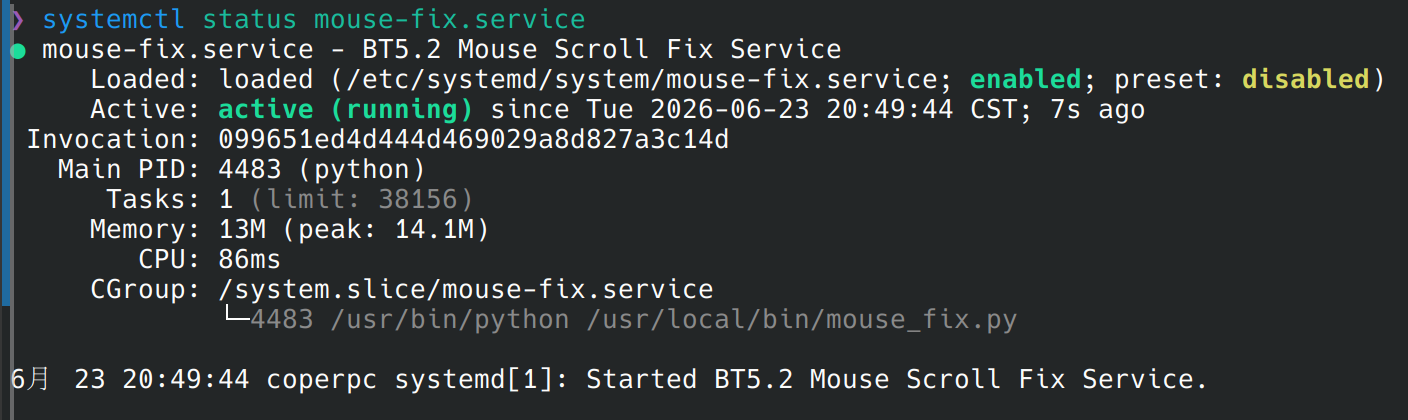
然后就没有然后了,修好了,可以愉快使用了
本博客所有文章除特别声明外,均采用 CC BY-NC-SA 4.0 许可协议。转载请注明来源 coperlm's Blog!
相关推荐
.gif)
2026-02-02
CachyOS下Flatpak版Obsidian输入法候选框错位问题
问题描述在 CachyOS (基于 Arch Linux) 或其他 Linux 发行版的 Wayland 环境下,使用 Flatpak 安装的 Obsidian 进行写作时,遇到了中文输入法(如 Fcitx5)候选框不跟随光标的问题。 具体表现为输入可能还没选呢,就上屏了。 问题分析这是一个经典的 Electron + Wayland + Input Method 兼容性问题。 虽然较新的 Electron 版本开始支持 Wayland,但对 IME(输入法协议)的支持依然不稳定。特别是 Flatpak 版本运行在沙箱中,如果环境变量没有正确传递,应用就无法获知系统的输入法配置,导致它退回到默认的“哑巴”模式。 解决方案的核心思路:强制 Obsidian 运行在 X11 (XWayland) 模式下,并手动通过 flatpak override 将输入法相关的环境变量注入到沙箱中。 解决方案第一步:确认安装方式首先确保你安装的是 Flatpak 版本。 包名通常为:md.obsidian.Obsidian1flatpak...
.gif)
2026-02-14
我要用Zettlr的单文件模式这么费劲
前两天装了改zettlr,还挺不错的markdown编辑器 但是我今天发现,他会在左边栏留下你打开过的.md,全部! 也就是说,你用的时间长了,他会越拉越多,然后可能越来越坏 可能用工作区能解决,但是我本身给他的定位就是替代typora,如果用工作区了,我大可以换obsidian或者vscode 也就是左边这个,开一个文件就会多一个,想删除得右键然后选最后一个(而不是把文件删了),还没快捷键 于是乎开始探索如何不让他酱紫(最终解决方案直接看最后) 设置里改你去试试吧,改不了的 即便我把关不上的给关上了,还是无济于事 锁上文件我的系统我做主,打开配置文件~/.config/Zettlr/config.json,可以看到里面全是浏览过的文件 直接全删喽,然后把这个文件给锁上sudo chattr +i ~/.config/Zettlr/config.json 不出意外的话是要出意外了 叽里咕噜说啥呢,一看就是不让我锁 解开再说sudo chattr -i ~/.config/Zettlr/config.json 哦对了,config.json...
.gif)
2026-02-14
我要用linux参加腾讯会议
很早之前就觉得slidev做PPT很牛,搭配上cachyos系统更是好用,但是组会需要使用腾讯会议,通常需要slidev导出后转到windows上或者直接内网传统才能使用,那就很简陋了;如果直接用window做slidev的PPT,虽然没毛病但是也简陋了一些。如果直接在cachyos上安装腾讯会议,一方面在arch上的兼容性一般,投屏容易出问题,另一方面他是闭源软件,打咩。 最开始想用OBS转发流量,但是担心清晰度和分辨率不足。后来直接Sunshine + Moonlight,用游戏级配置降维打击 PPT 演示。Sunshine 是“电视台”(服务端/发送端),而 Moonlight 是“电视机”(客户端/接收端)。 第一步:建立稳定的链路 。为了防止 Wi-Fi 干扰导致 PPT 翻页卡顿,直接使用 USB 共享网络 建立局域网。用数据线连接安卓手机和电脑,然后手机开启 USB 网络共享,电脑会自动识别为一个有线网卡,然后二者处于一个局域网里了(手机是网关)。 第二步:配置 Host (CachyOS)1paru sunshine然后运行 sunshine,打开浏览器访问...
.gif)
2026-02-14
搭建linux下看论文的环境
今天捣鼓了一下电脑上看论文的工作流,自从我发现多个桌面这个东西,感觉笔记本电脑用好了,不比大屏更低效,更重要的是它便携 环境:cachyos,KDE 既然都arch了,那软件肯定要通通开源~ Sioyek——PDF阅读器最一开始尝试使用浏览器直接阅读,但是效果不佳,与其加装插件,不如寻找新的软件;然后尝试了Zathura,但是在暗色模式下使用感觉怪怪的,并且一点点批注功能都没有。于是乎最终选择了Sioyek。 安装先sioyek1paru -S sioyek然后手动注入键位12mkdir -p ~/.config/sioyeknano ~/.config/sioyek/keys_user.config粘贴进去1234567891011121314151617181920212223242526272829303132333435363738394041424344# --- 1. Vim 核心移动 (优先级最高) ---move_down jmove_up kmove_left lmove_right ...
.gif)
2025-01-06
红黑树学习
BST 二叉查找树 -> AVL 平衡二叉树 -> RBT 红黑树 二叉查找树 左子树上所有结点的值均小于或等于它的根结点的值 右子树上所有结点的值均大于或等于它的根结点的值 左、右子树也分别为二叉排序树 理想情况下是这样子 存在的问题:如果BST树的节点正好从大到小的插入,此时树的结构也类似于链表结构,这时候的查询或写入耗时与链表相同,最坏时间复杂为线性 这时候就有了平衡二叉树AVL(发明者名字简写) AVL也属于二叉搜索树的一种,与其不同的是AVL通过机制保证其自身的平衡 平衡二叉树 AVL树是最先发明的自平衡二叉查找树 在AVL树中任何节点的两个子树的高度最大差别为1,所以它也被称为高度平衡树 增加和删除可能需要通过一次或多次树旋转来重新平衡这个树 平衡二叉树的特性 对于任何一颗子树的root根结点而言,它的左子树任何节点的key一定比root小,而右子树任何节点的key...
评论
WalineDisqus
.gif)
.gif)
.gif)
.gif)
.gif)